
Team & Role
Product Design, Full-Stack Development with Baly Martinez, Jasper Doan, Kaila Long, Shayla Ho, Vaani Mathur
For six months, I participated in the design and development process for our senior capstone project under the Department of Informatics at UC Irvine.
How might we make nasometry assessment accessible and portable for speech pathologists and researchers studying hypernasality?
According to the Children's Hospital of Philadelphia, Cleft lip and palate is a prominent common birth defect in the United States.
More than 50% with cleft palate need speech and language therapy, per CLAPLA.
Our user interviews with speech pathologists across the United States revealed manual data entry, no EHR integrations, and time-consuming workflows between capturing and documenting results.
User Stories
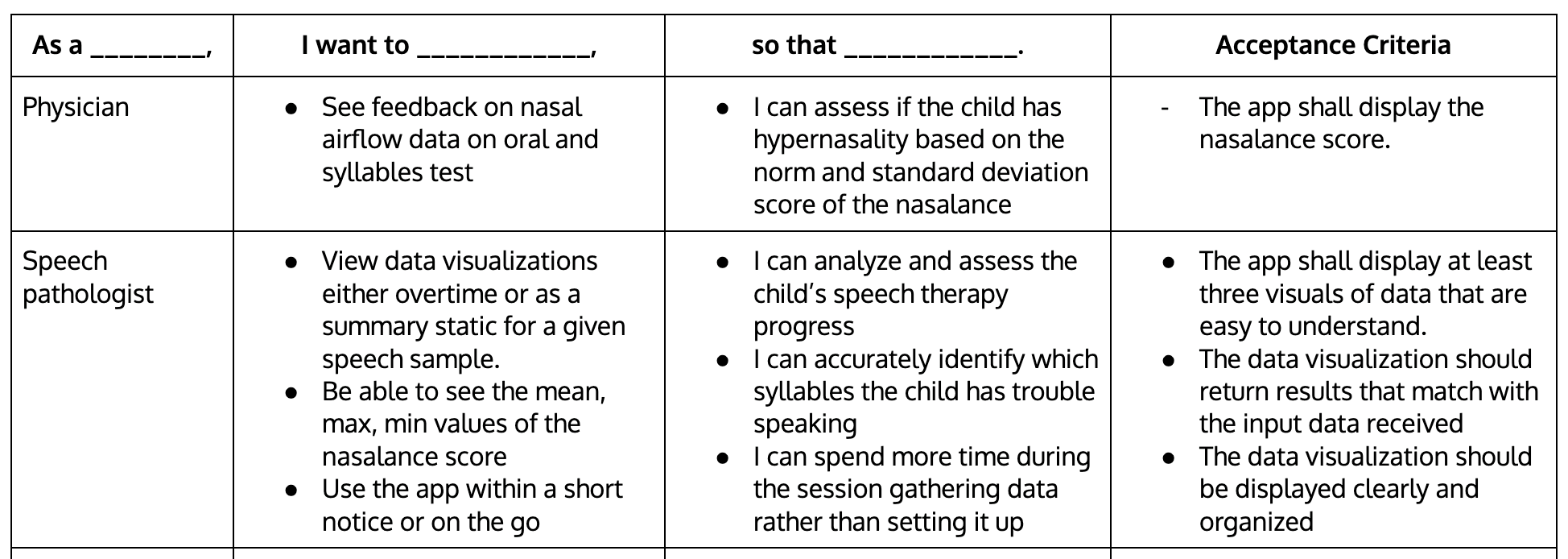
Initial research formed two primary user stories informed by the roles of our project partners: members from UC Irvine's School of Language Science, UC Irvine's Department of Plastic Surgery, and CHOC.
User Interviews
Employing a process of pattern-based coding, our team generated 123 data points across 20 themes through affinity diagramming. Diagrams available upon request.
User Flow
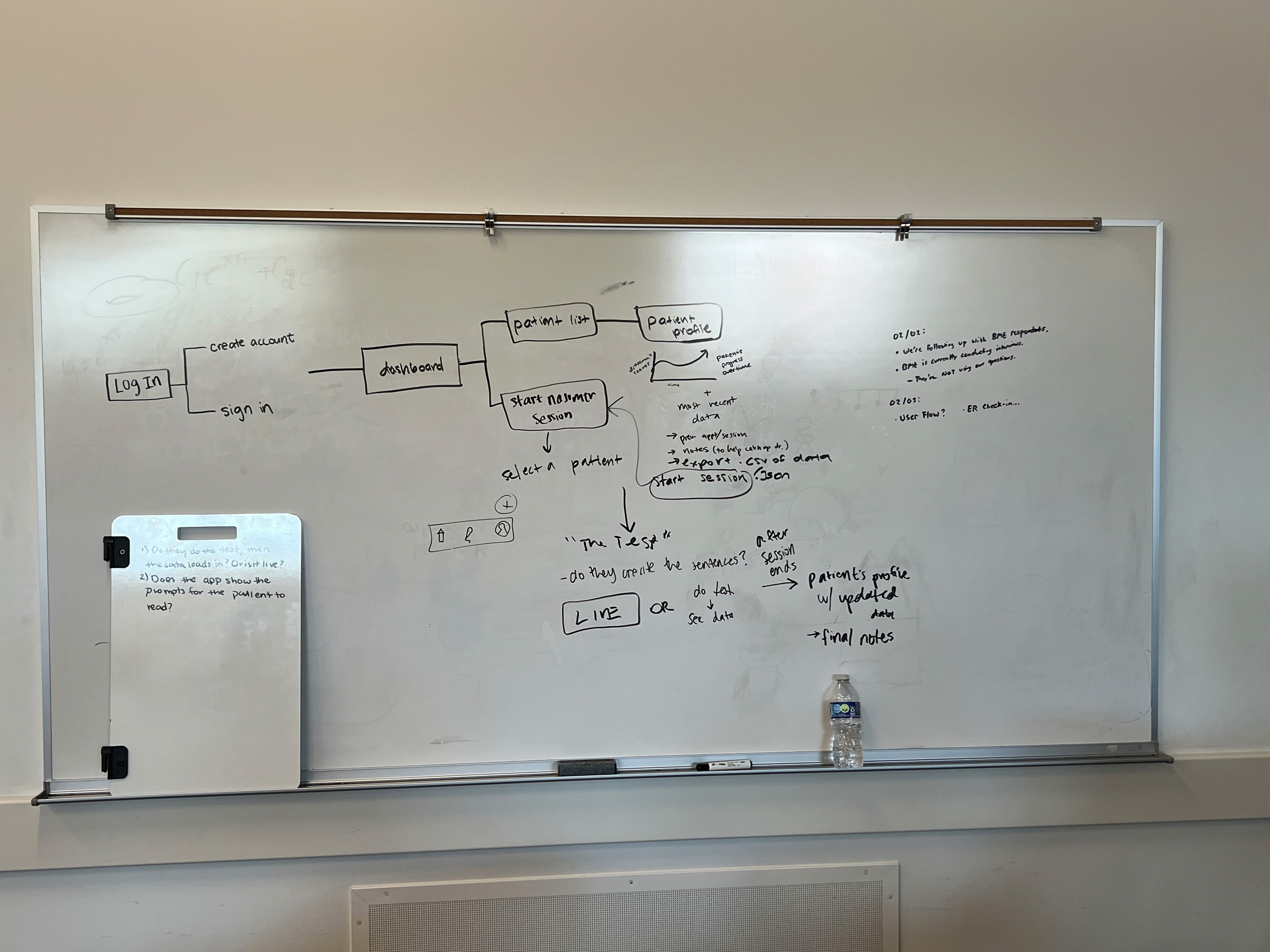
With the goal of providing clinicians and researchers minimal friction, we arrived to this user flow.
Low-Fidelity Mockups
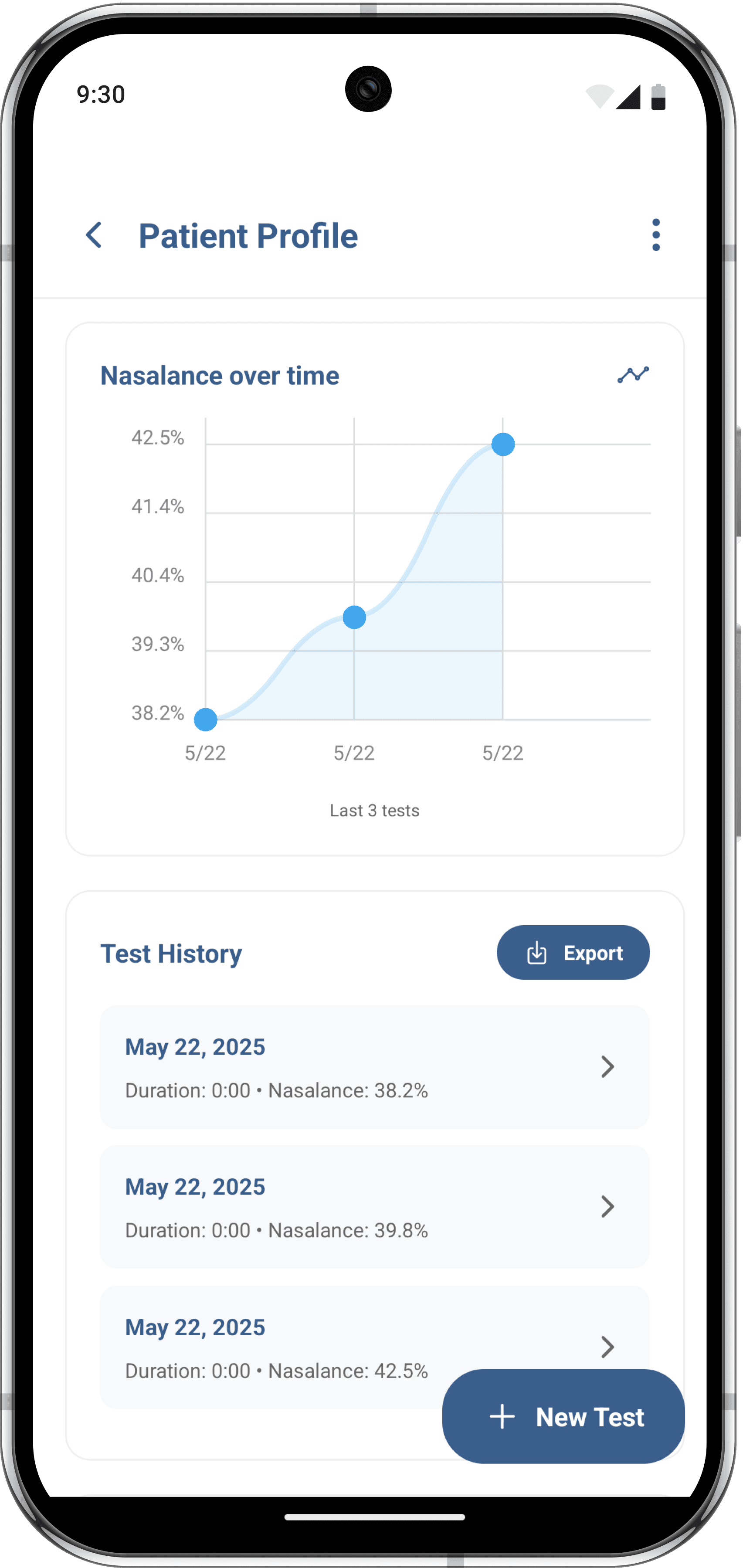
Our target platform was Android, due to their low cost nature of deployment. Therefore, we originally designed around the Material Design 2 system. Originally, I envisioned a navigation bar to easily switch between patients and the evaluation screen. However, we decided to eliminate it to focus the users onto one patient. In other words, tests should always be associated with a patient.

After more careful iteration, we aligned our linear user-flow with each of our designs. We heavily used shapes to group related information together, and to inform the user of actions such as creating a new patient or test.
Tech Stack
React Native & Javascript: Although our project partners envisioned an Android app for their low cost availability in the market, we went with a familiar framework that could also allow universal compatibility with other devices running iOS or through the Web in the future.
Java: To interface with the hardware connected to the Android phone, we had to create a React Native Module that handled device selection and reading audio.
Supabase (PosgreSQL & Authentication): We used Supabase for their database and authentication capabilities, allowing reachable endpoints to store patient data. Should our app go to market, our partners can be assured HIPAA compliance.
Claude & ChatGPT: Early AI assistants were used to help troubleshoot development. and speed-up prototyping, as this was our first time developing with React Native and Java on a hardware level.
Conclusion
Our team won first place at the ICS Project Expo under the Informatics tract.
With a product like this, our portable nasometer companion application has the potential to expand the reach of speech language pathologists on things like mission trips abroad to help cleft palate patients across the world and in remote areas.
With only the nasometer device and an Android phone, our nasomEATR makes cleft palate patient care accessible anywhere.